
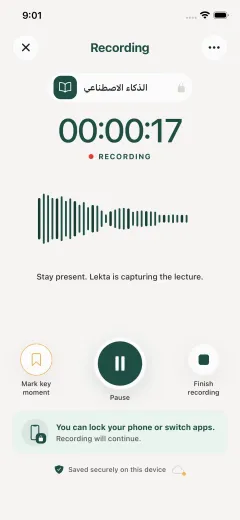
Stay present in class
Start the recording in the right course. You can listen, ask questions, and mark the moments you want to revisit instead of trying to type every sentence.
A concrete student workflow
Lekta starts with a permitted class recording and keeps the transcript, notes, recall practice, and revision plan connected to the course that created them.
One lectureExample: preparing for a biology exam
You are responsible for getting any required consent and following your institution’s recording rules. Once a permitted lecture is captured, Lekta helps you return to the parts worth studying.
Start the recording in the right course. You can listen, ask questions, and mark the moments you want to revisit instead of trying to type every sentence.
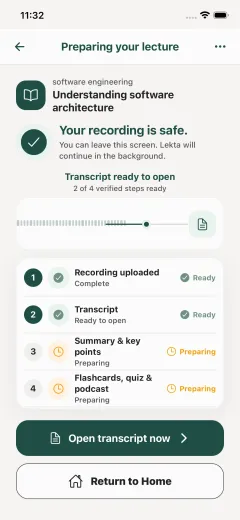
After the lecture, the recording becomes a transcript and concise notes. The source stays connected, so you can check the context rather than relying on a disconnected summary.
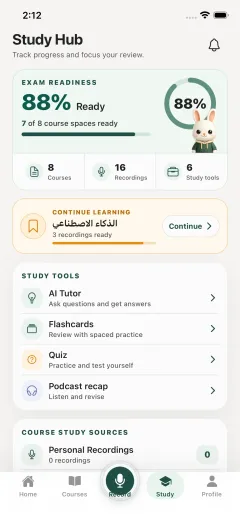
Use flashcards, quizzes, podcast recaps, and course study packs to move from “I heard it” to “I can explain it in the exam.”
How to explain Lekta to a friend
That is the whole promise. It is not an excuse to stop learning. It is a calmer way to keep a permitted lecture, understand it afterward, and practise the parts that matter before an exam.
The short version
Explore the lecture-to-study path, prepare with the permission-first checklist, or compare Lekta’s course-based workflow with a general meeting-transcription tool.